Newest Creator Search
The Newest Creators tool helps you discover OnlyFans creators who have recently joined (within the last 0–180 days). This is ideal for outreach, since new creators are often more responsive and easier to collaborate with.
Written By Outseeker
Last updated 10 months ago
🧭 Step 1: Accessing the Newest Creators Tool
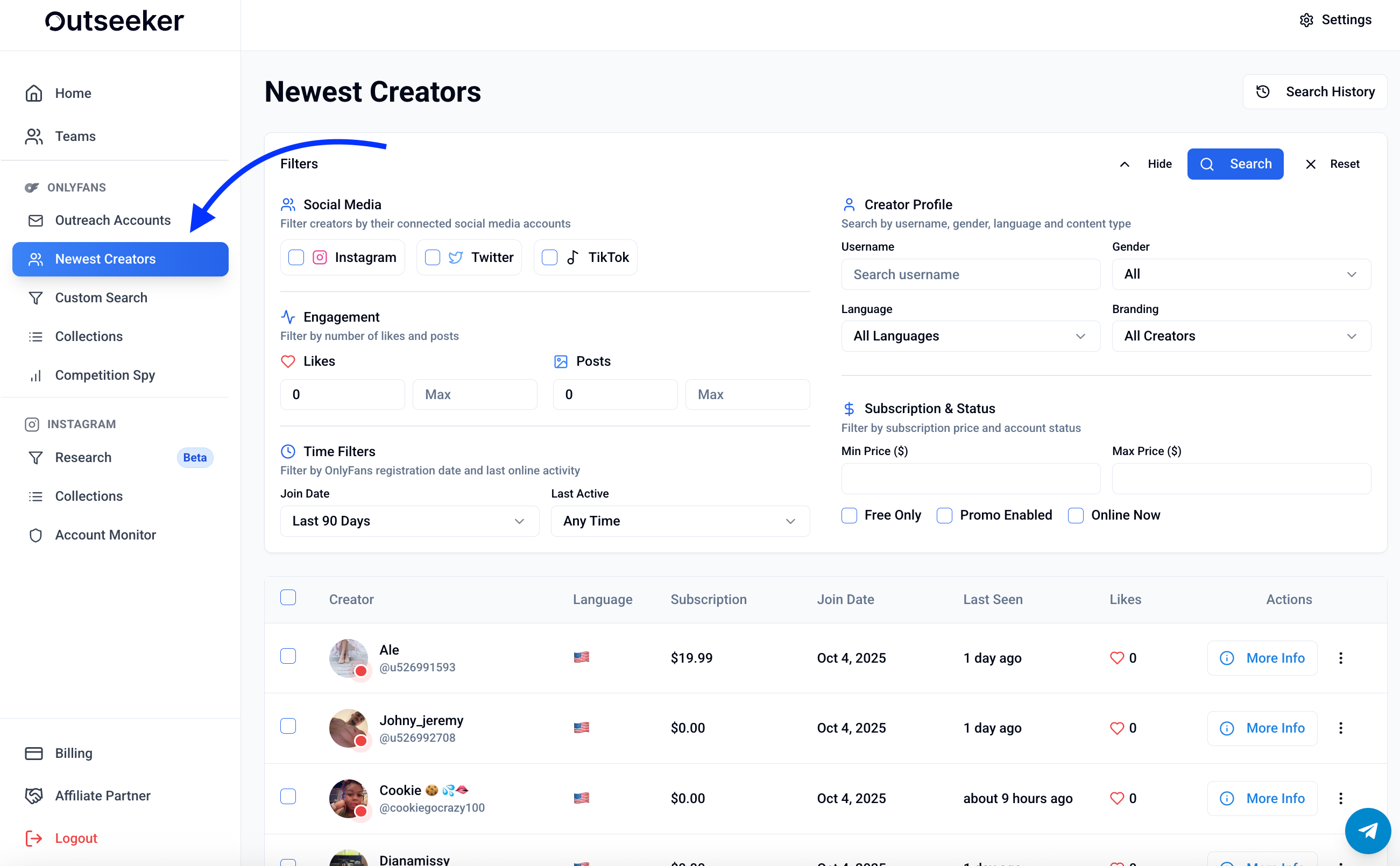
In the left sidebar, click Newest Creators.
Use the search filters at the top to refine your results.
🗂 Step 2: Use Filters to Customize Your Search
You can filter by:
Social Media
Instagram Account Included
TikTok Account Included
Twitter Account Included
Subscription Price
Set minimum and maximum subscription price
Engagement
Likes range (filter by total likes received)
Posts range (filter by total number of posts)
Creator Profile
Language (filter by spoken language)
Branding (branded vs. unbranded creators)
Gender / Username search
Account Type
Free accounts only
Promotion enabled
Online now
Join Date
Limit results to creators who joined in a chosen timeframe (e.g. last 30, 90, or 180 days)
📄 Step 3: Viewing Results
Your results update instantly based on your filters. Each creator entry shows:
Username and profile image
Subscription price
Join date and last seen status
Likes count
Actions → click More Info for full profile details
🕑 Step 4: Search History
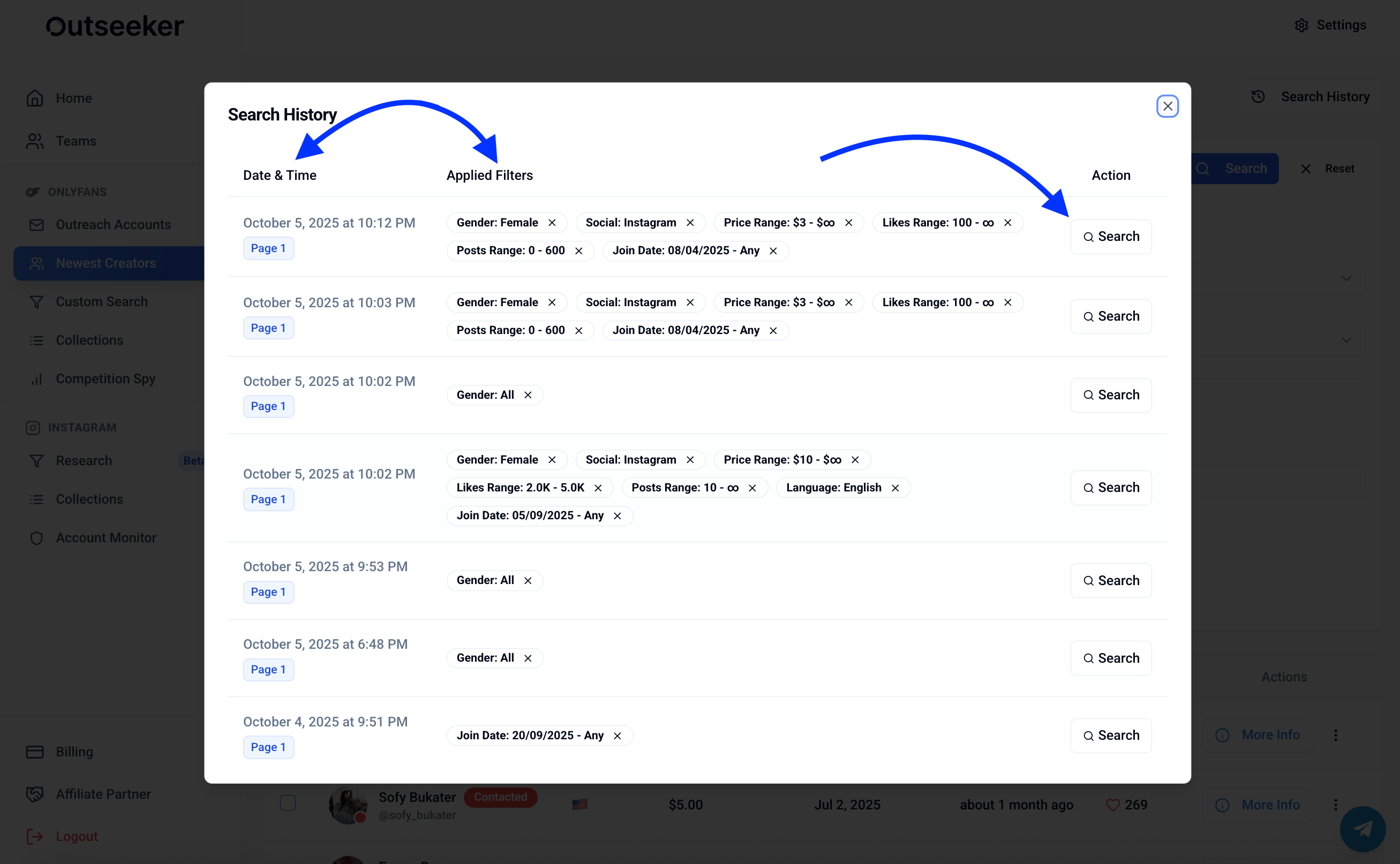
In the top-right corner, click Search History to view your past searches.
Each entry shows the date, time, and applied filters.
Click Search to instantly reload any previous search with all filters applied.
❓ Need Help?
If you need assistance refining your search or understanding the filters, visit the Support Center or contact us directly from the bottom-right corner of your dashboard.