Instagram Collections
The Instagram Collections tool lets you organize and manage Instagram creators in customized lists — just like the Tracking Lists for OnlyFans. This helps you structure your outreach and keep track of your progress in one place.
Written By Outseeker
Last updated 10 months ago
🧭 Step 1: Create a Collection
Go to Instagram Collections in the left sidebar.
Click Create New Collection (or Create Your First Collection if none exist yet).
Give your collection a name and start adding creators.
📋 Step 2: Organize Your Creators
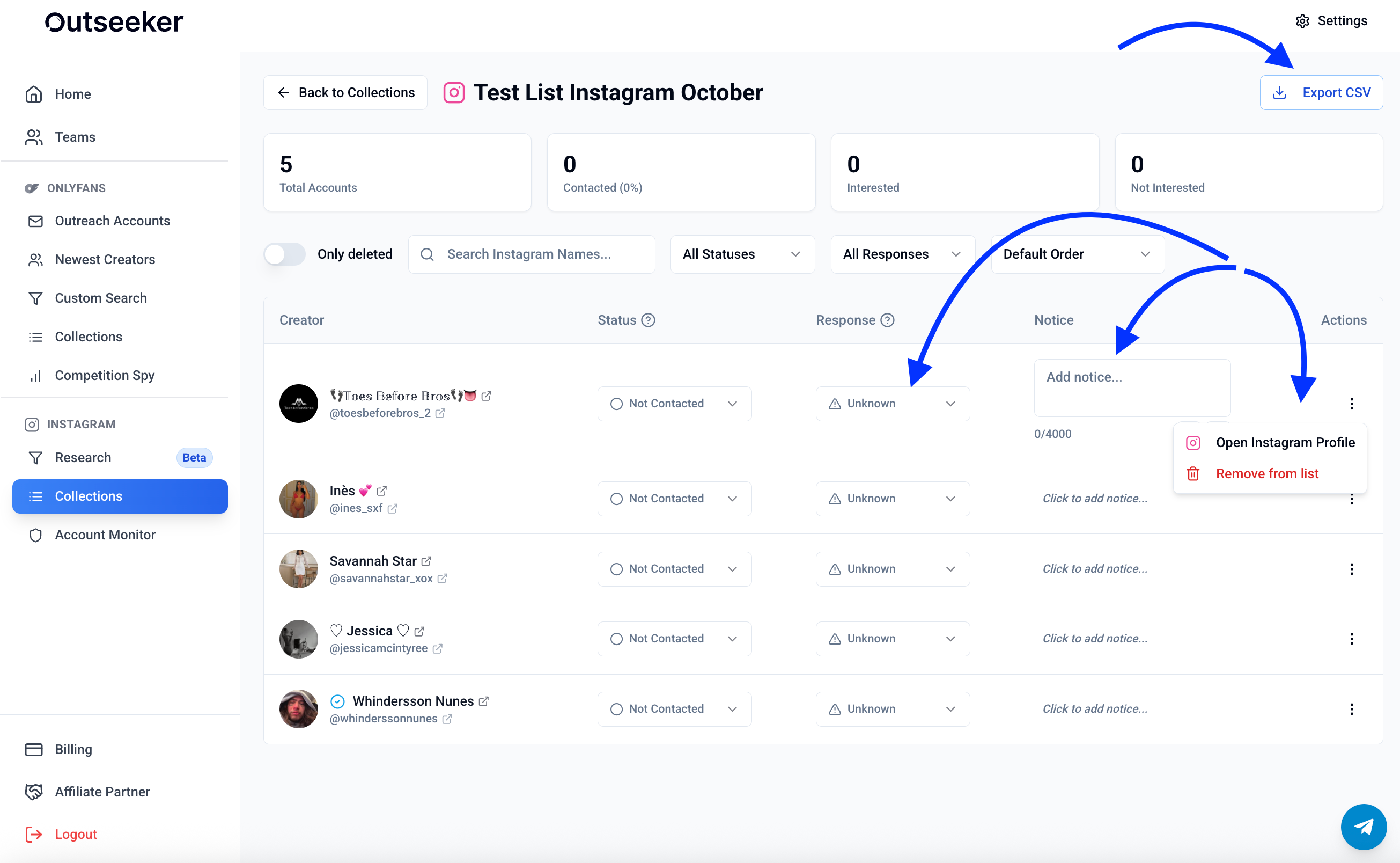
Within each collection, you can:
Add and remove Instagram profiles
Track which accounts have been contacted
Note responses or follow-ups needed
Keep a clear record of your outreach progress
📊 Step 3: Stay Structured
Use the search bar to quickly find collections by name.
Hide deleted or unused collections for a cleaner overview.
Maintain multiple lists to separate campaigns, niches, or outreach strategies.
❓ Need Help?
If you need assistance with Instagram Collections, visit the Support Center or contact us directly from the bottom-right corner of your dashboard.