Team Management
Written By Outseeker
Last updated 10 months ago
Manage your team members easily from the Teams section of your SearchCreator dashboard. Add or remove users and collaborate efficiently with your team.
➕ Step 1: Add a Team Member
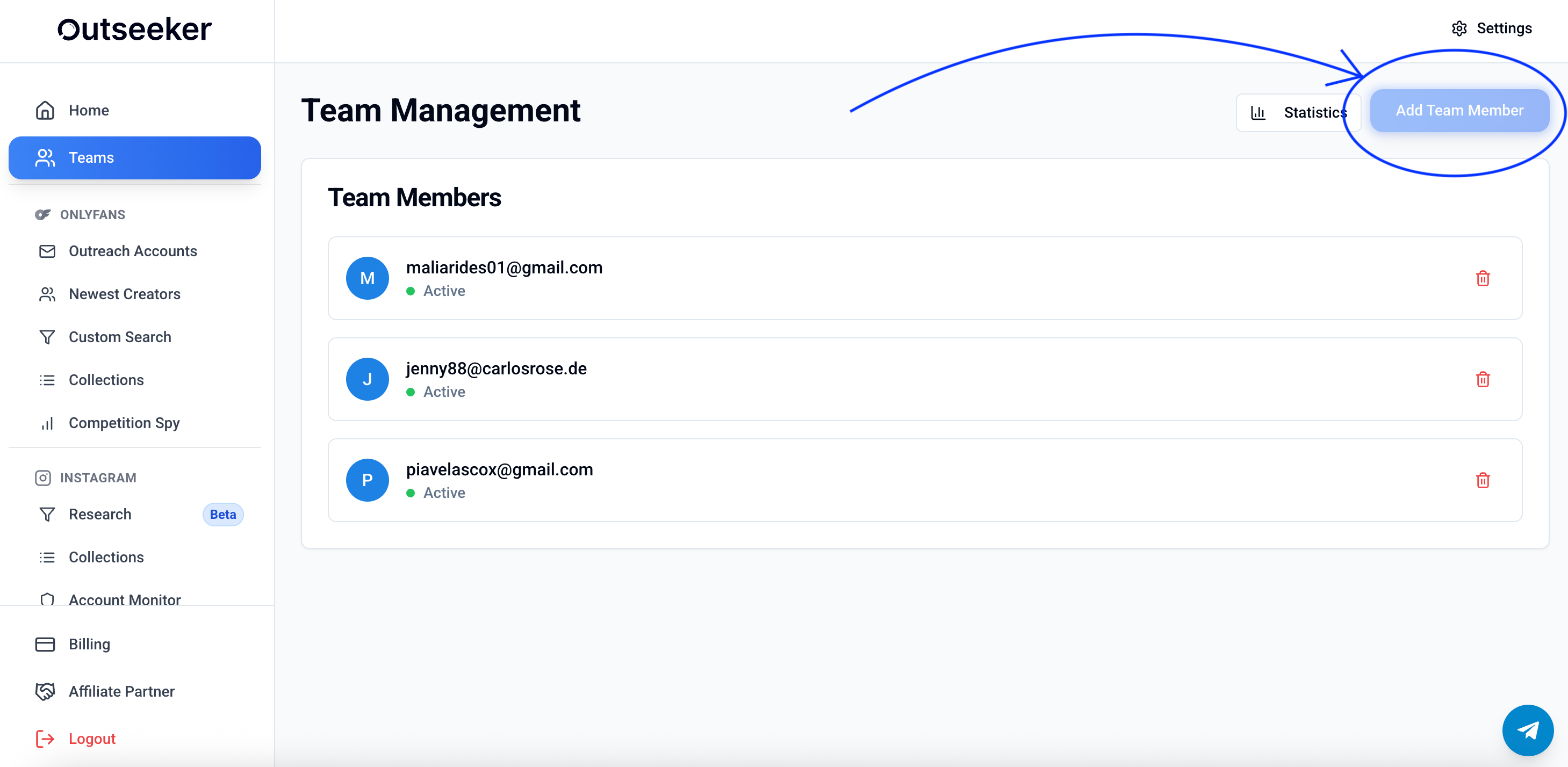
Go to the Teams section in the left-hand sidebar.
Click the Add Team Member button in the top-right corner.
Enter the team member’s email address.
Click Invite — they’ll receive an email with access instructions.
📌 Team features are only available on the Agency Plan
👤 Managing Team Members
Once a member is added, you can:
View their email and active status.
Remove a member by clicking the trash icon next to their name.
Add up to three team members.
📊 Team Statistics
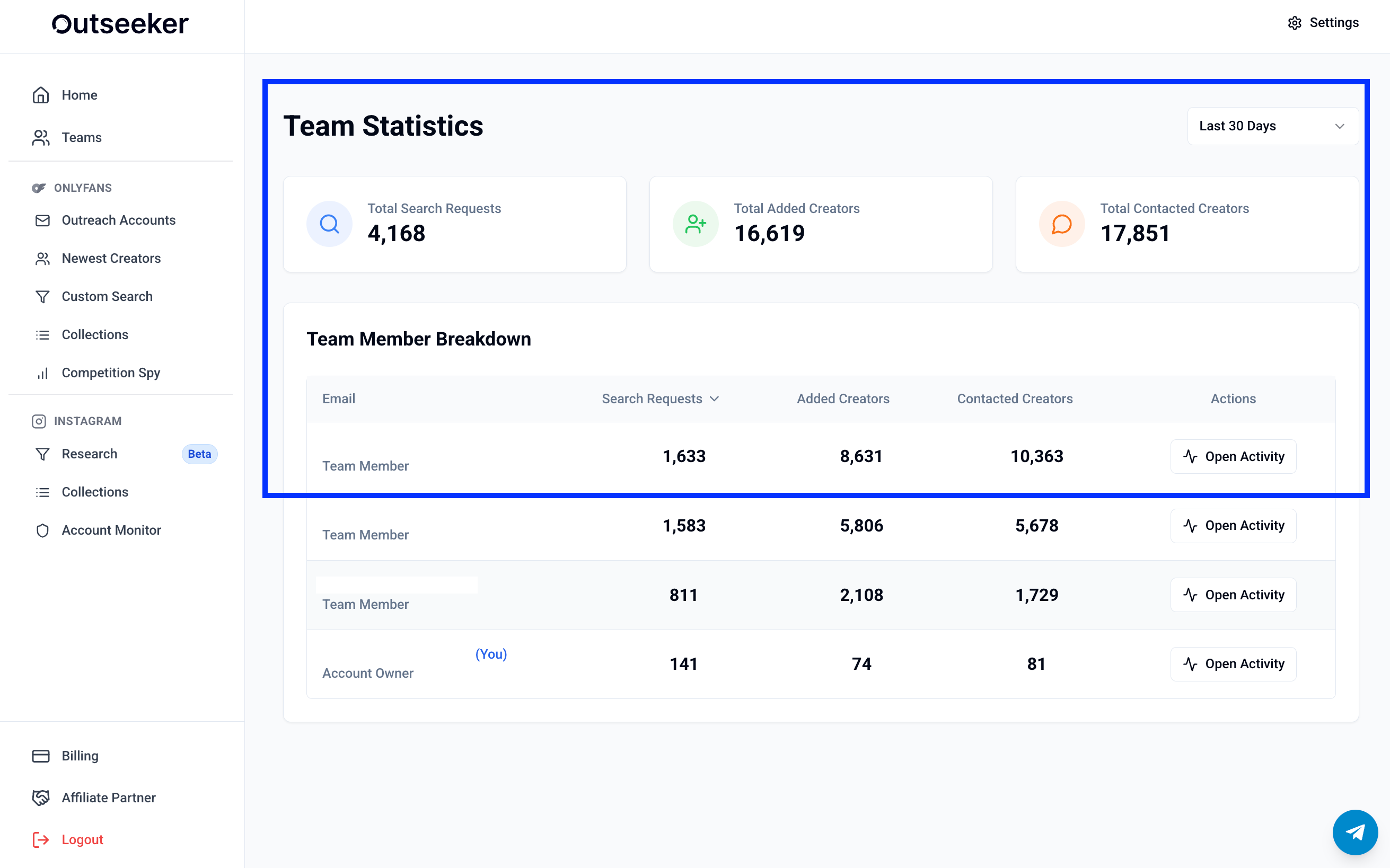
Under the Statistics tab, you get a complete overview of your team’s activity:
Total Search Requests – how many searches were made.
Total Added Creators – how many creators were added by the team.
Total Contacted Creators – how many creators were reached out to.
Team Member Breakdown – detailed stats per user (searches, added creators, contacted creators).
You can also click Open Activity next to each team member to see their individual activity log.
❓ Need Help?
If you need assistance with team features or access levels, visit the Support Center or contact us directly from the bottom-right corner of your dashboard.