Instagram Research
The Instagram Research tool lets you explore our Instagram database and filter profiles to define your target audience. This feature is currently in beta phase, with more filters like branding and country search coming soon.
Written By Outseeker
Last updated 10 months ago
🔎 Step 1: Access Instagram Research
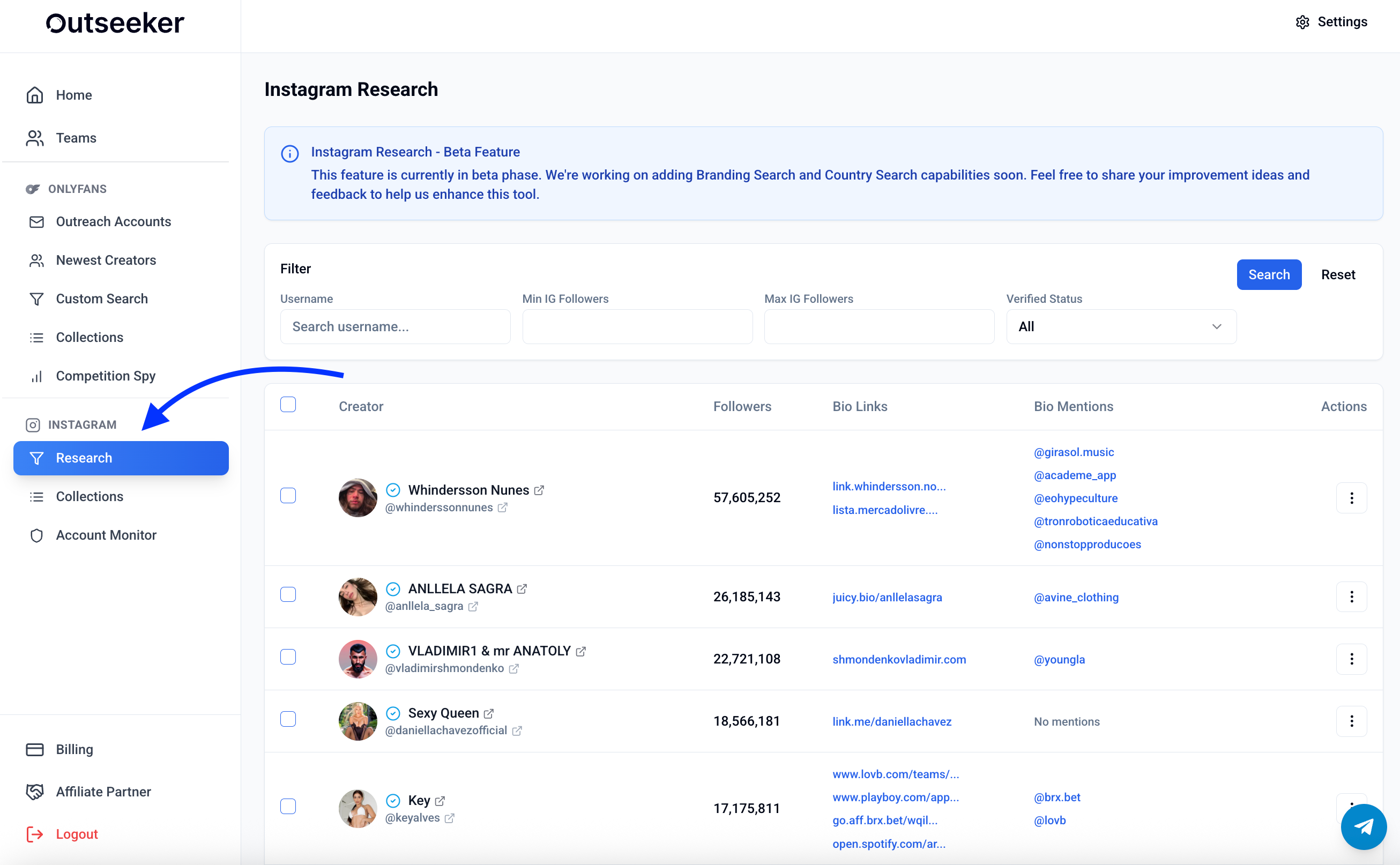
In the left sidebar, click Research under the Instagram section.
Use the filter panel at the top to adjust your search.
⚙️ Step 2: Apply Filters
You can refine your results using the following filters:
Username → search by a specific Instagram handle
Min / Max Followers → set a follower range to target profiles by audience size
Verified Status → filter by verified or non-verified accounts
📄 Step 3: Review Profile Data
For each Instagram profile, you’ll see:
Username & Profile Picture
Follower Count
Bio Links (external websites connected to the account)
Bio Mentions (other accounts mentioned in the bio)
Actions → open the profile directly or access more details
❓ Need Help?
For questions about Instagram Research or advanced targeting strategies, visit the Support Center or contact us directly from the bottom-right corner of your dashboard.